Understand what turns a visit into an application
Track visits, click rates, engagement, and decline reasons for every candidate page. Review the full picture or focus on one workspace to see where attention drops and what to improve next.




Trusted by recruiters at





See what candidates do after they open a page
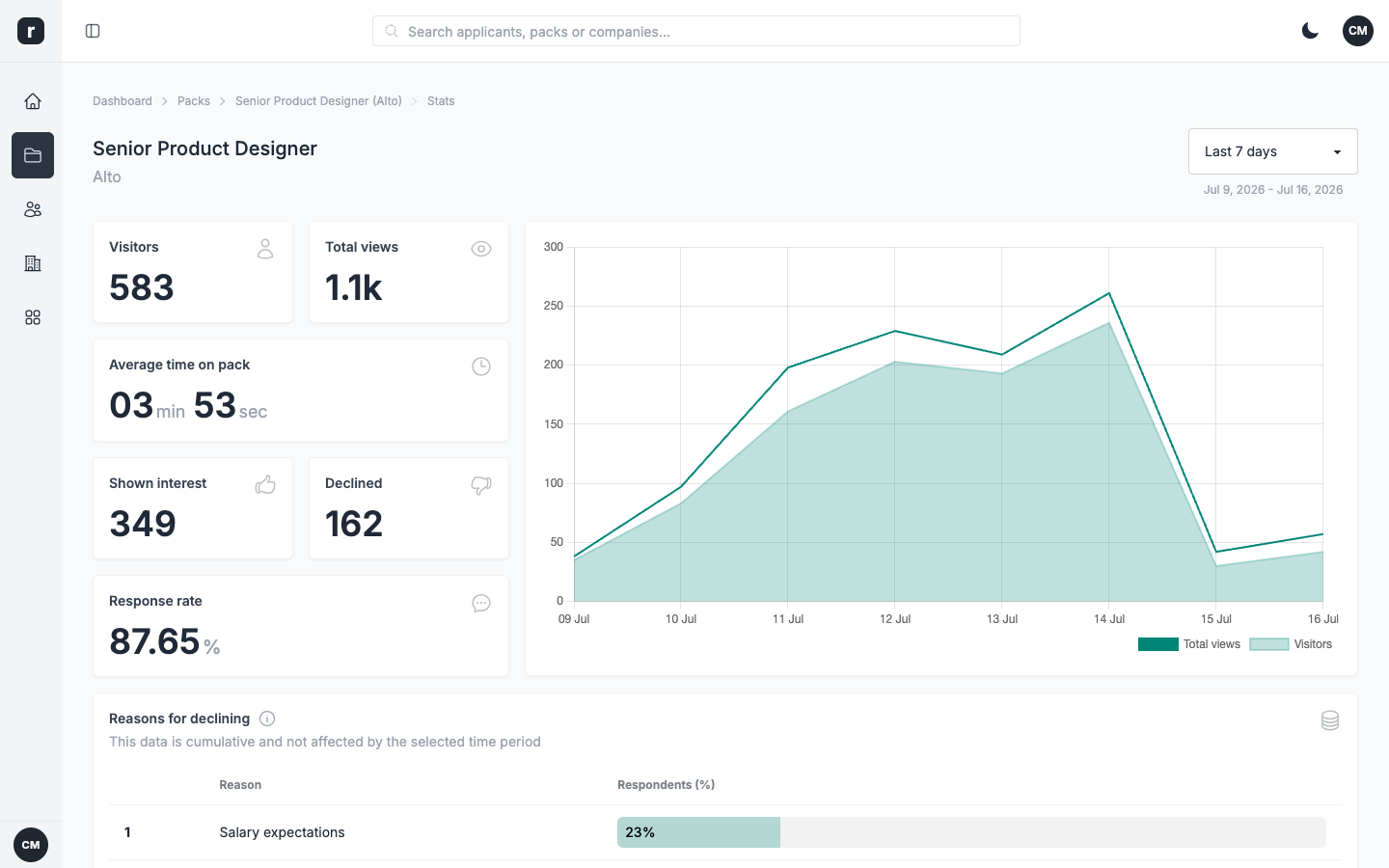
Visits & pageviews
See how many candidates land on each page, where they come from, and how traffic trends over time.
Conversion funnel
Compare conversion rates from the first visit through to interest or decline.
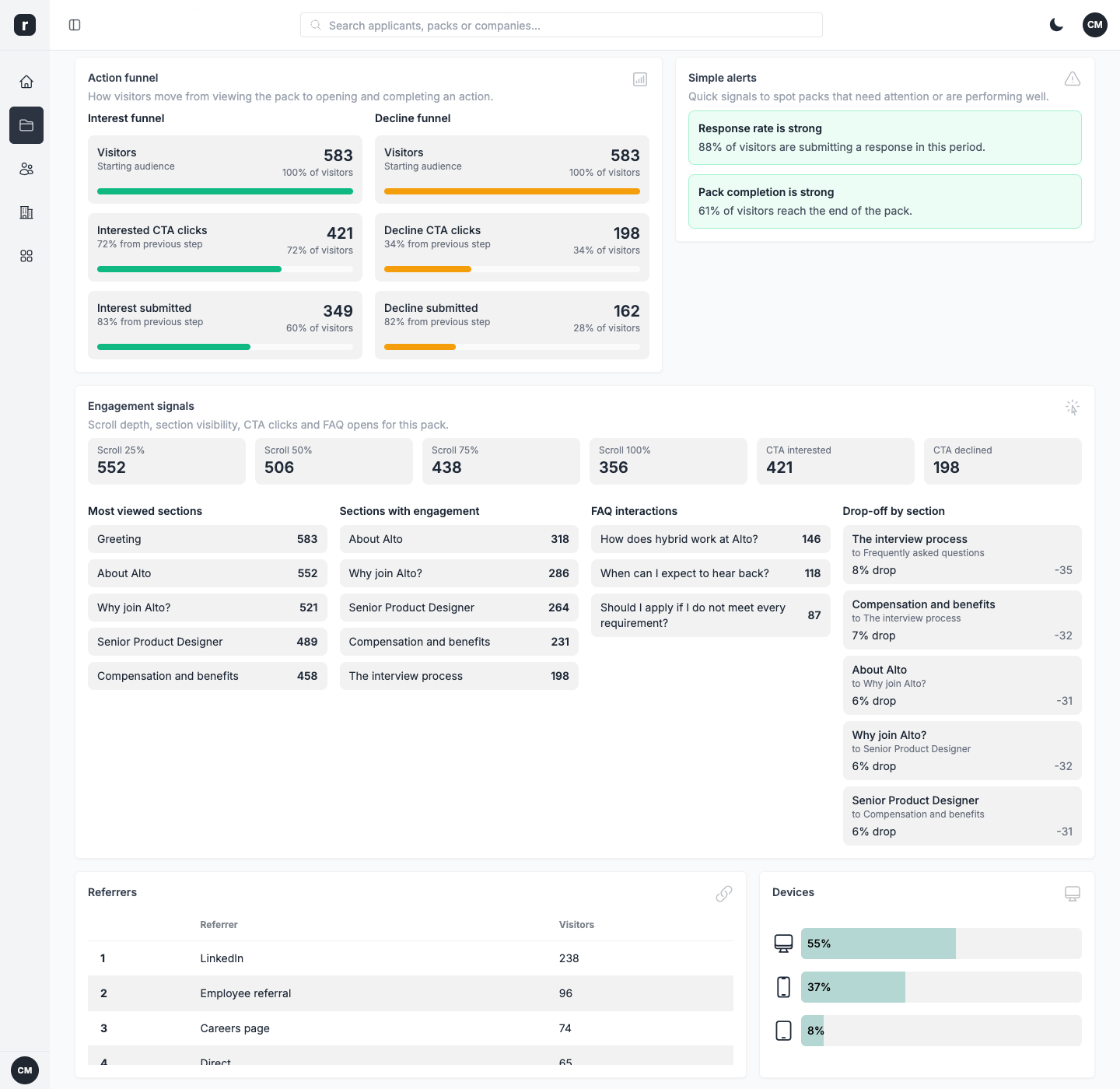
Engagement & click rates
Measure scroll depth, CTA clicks, section views, and FAQ interactions to see how candidates engage.
Decline reasons
Review how decline reasons are distributed and spot the concerns that come up most often.
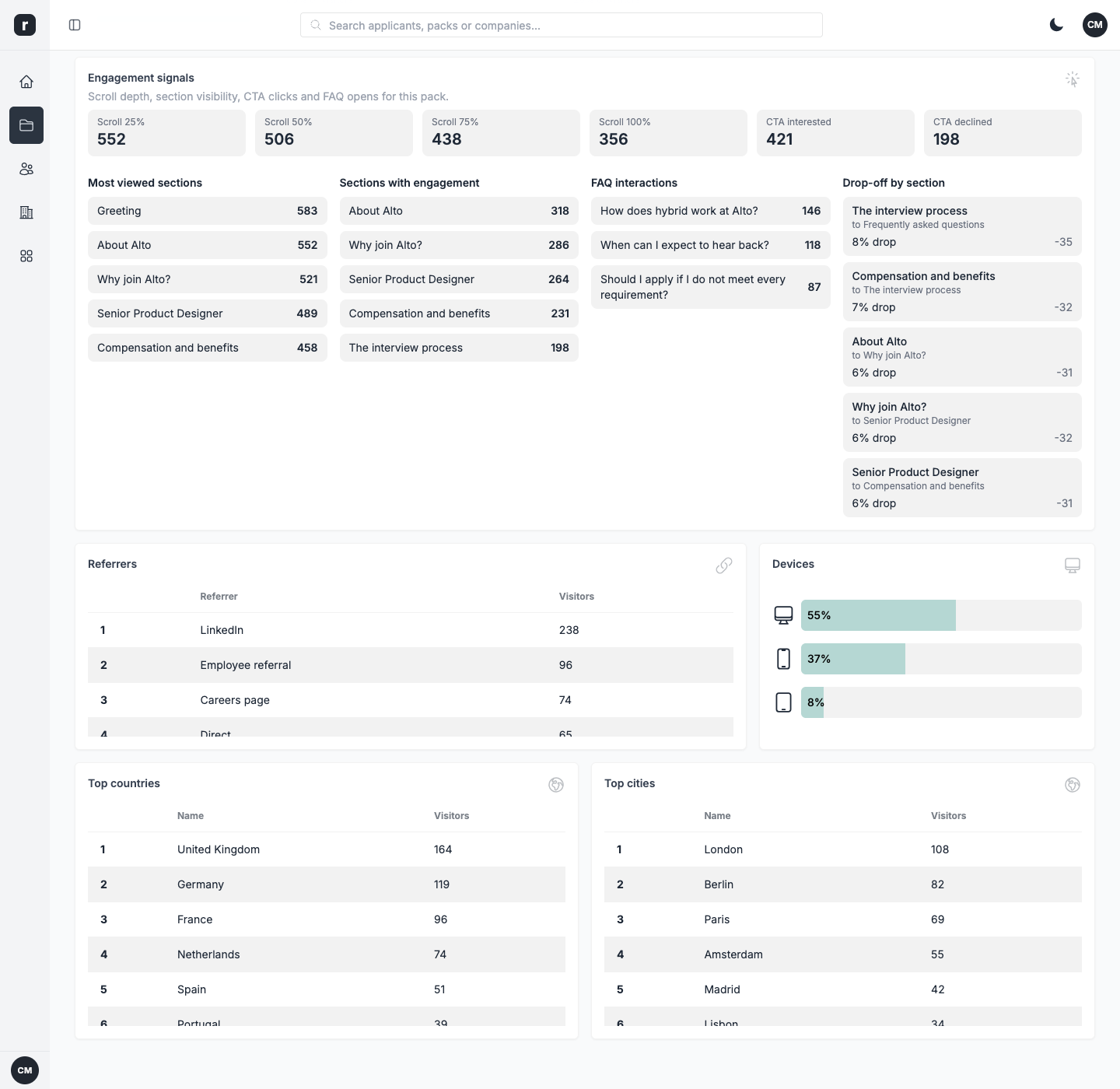
Referrers & geo
See which sources send traffic and where in the world your candidates are located.
Read your funnel in four views
Find where candidates drop off
Your funnel follows the journey from the first visit to an Interested or Decline click. If applications slow down, compare each stage to see where attention falls away. Early exits may point to the opening of the page, low CTA activity may mean the next step is hard to find, and a rise in declines may signal that the role needs clearer context. Use the data as a starting point, then test a change.
- See conversion at every funnel stage, from visit to interest or decline
- See which step loses the most candidates
- Make a change, then compare the results
Thomas
Recruitment Manager
All your analytics in one place
Role.so includes eleven analytics modules. They cover traffic and pageviews, the conversion funnel, engagement and click rates, decline reasons, referrers, geography, devices, time on each pack, on-screen signals, and top pages. View the full picture across your team or narrow the dashboard to one workspace before you decide what to change.
- Eleven analytics modules covering traffic, engagement, devices, and more
- Team-wide and workspace-level views for the right reporting scope
- On-screen signals that highlight patterns worth investigating
Victoria
Human Resources Specialist
A detailed view of every candidate journey
What recruiters say about Role.so
 Aaron, Hiring Manager
 Brando, Recruitment Consultant
 Ammy, Talent Acquisition Specialist
Frequently asked questions
Role.so focuses its built-in analytics on candidate-page activity such as visits, clicks, and conversions, without selling personal data or relying on invasive cross-site tracking.
You can review activity over the last 24 hours, 7 days, or 31 days. The dashboard loads the latest recorded interactions whenever you open it or change period.
Yes. Each pack has its own analytics view, so you can inspect its traffic, responses, engagement, sources, devices, and decline reasons.
Role.so tracks visits and pageviews, the conversion funnel (interest and decline), engagement (scroll depth, CTA clicks, section views, FAQ interactions), decline reasons, referrers and traffic sources, geography, devices, time on each pack, on-screen signals, and top pages. That makes eleven modules in total.
Yes. Funnel and engagement views help you compare visits, section activity, CTA clicks, interest, and declines to identify where attention is lost.